
The driver opens Start New Ticket and types the ID from the text. Start Ticket looks the job up. The contractor, the job, the material, and the travel time come from that dispatch.
Digital tickets that match the loads.
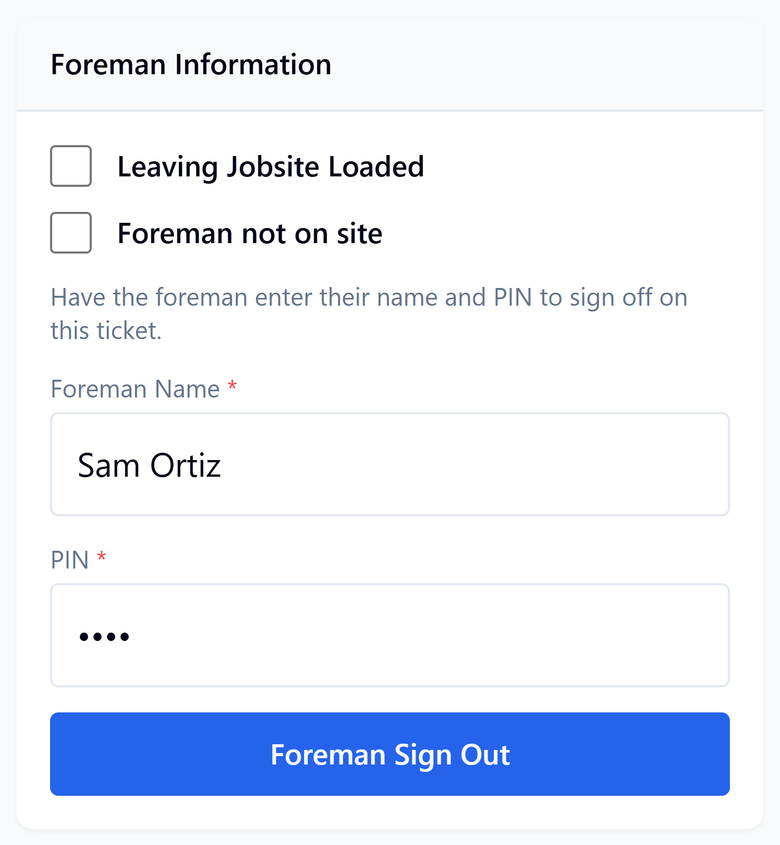
Drivers, dispatch, and finance see the same ticket. The foreman signs out with a PIN on the driver's phone before the driver can submit. If the foreman is not on site, the driver marks that, and the ticket records it.
Sign in to DigitalTicketsProDigital Tickets
Unload the mountains of paperwork to increase your bottom line. Six steps, From dispatch to the finalized ticket. Scroll or tap a step and that screen opens below.
Ticket 4821 is an example, not a customer job.
The driver adds their name, truck type, and truck number, checks the company and the job, and taps Start Ticket. Ticket 4821 opens as a draft.
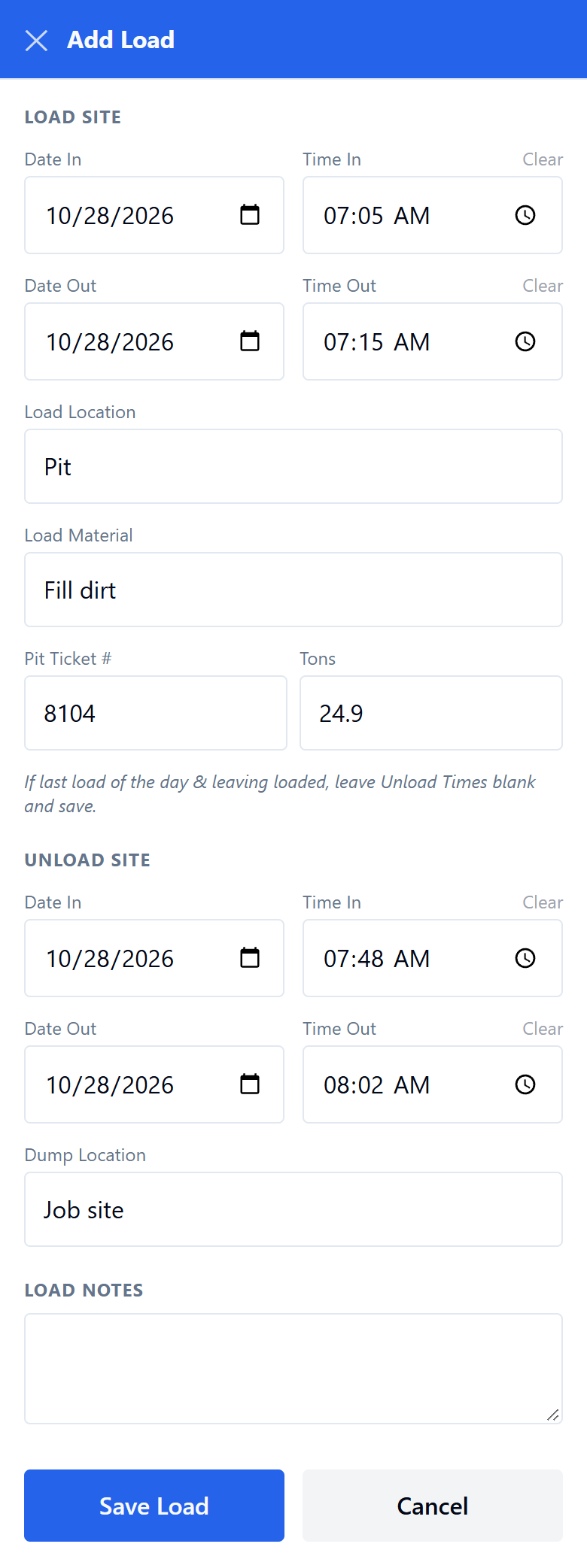
Add Load is the whole screen. The driver enters the pit time, the scale ticket, the tons, and the dump. Nothing on a load is required, so they can save it and finish the rest at the job.
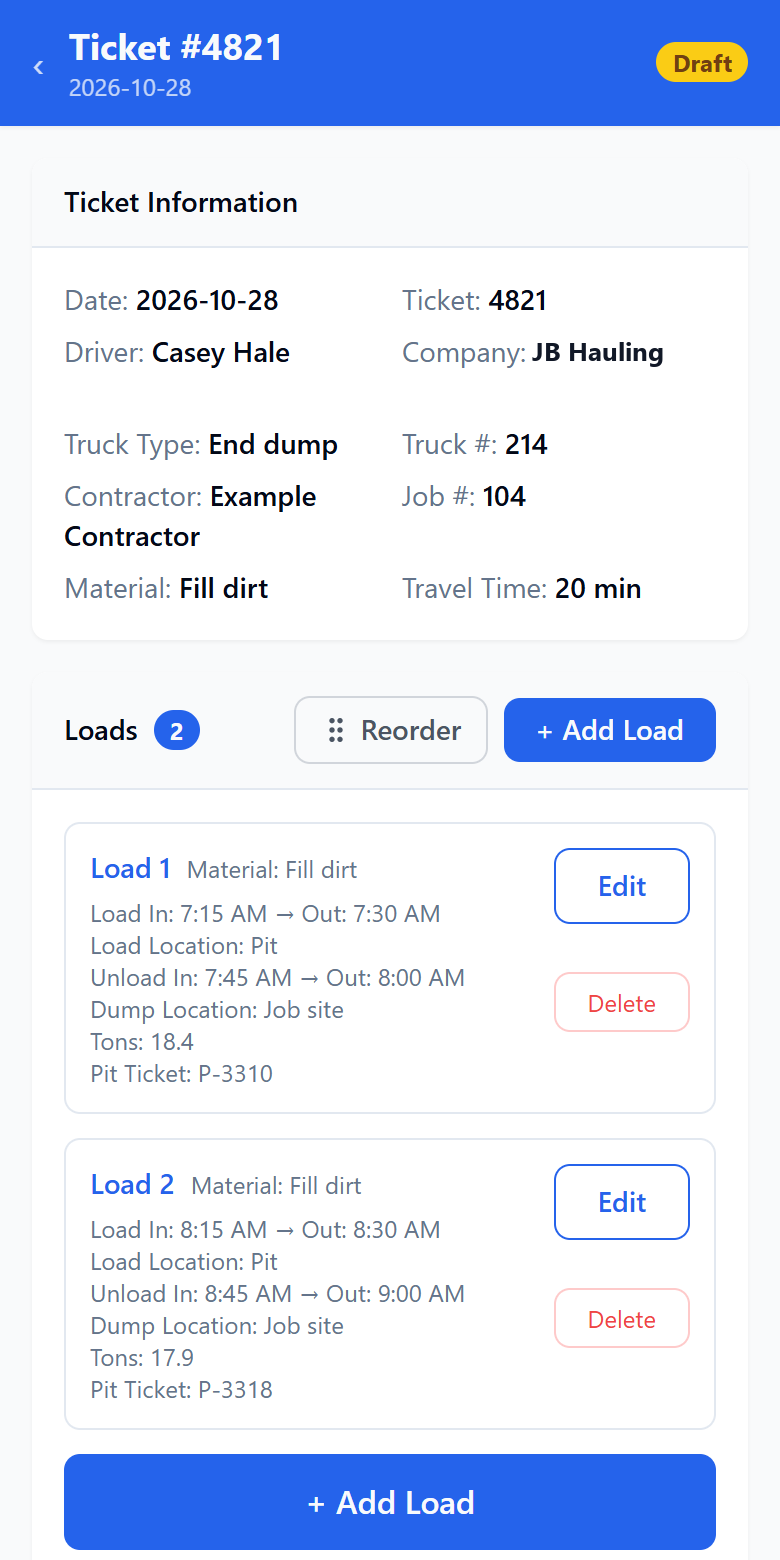
The loads land on the ticket. Ticket 4821 shows both loads, the pit, the dump, and the tons. The driver can add another load, or change one, before the foreman signs out.
The foreman enters their name and PIN on the driver’s phone and taps Foreman Sign Out. The driver cannot submit until that sign-out is on the ticket. If the foreman is not on site, the driver marks that, and the ticket records it instead. The job site stays in control of the sign-off.
Ticket Notes and Submit opens after the foreman signs out. The driver checks the haul times, adds a note if they need one, and taps Submit Ticket. They confirm, and the ticket is finalized.
No more chicken scratch.
No more reading chicken scratch from drivers. Clean, clear, and correct.
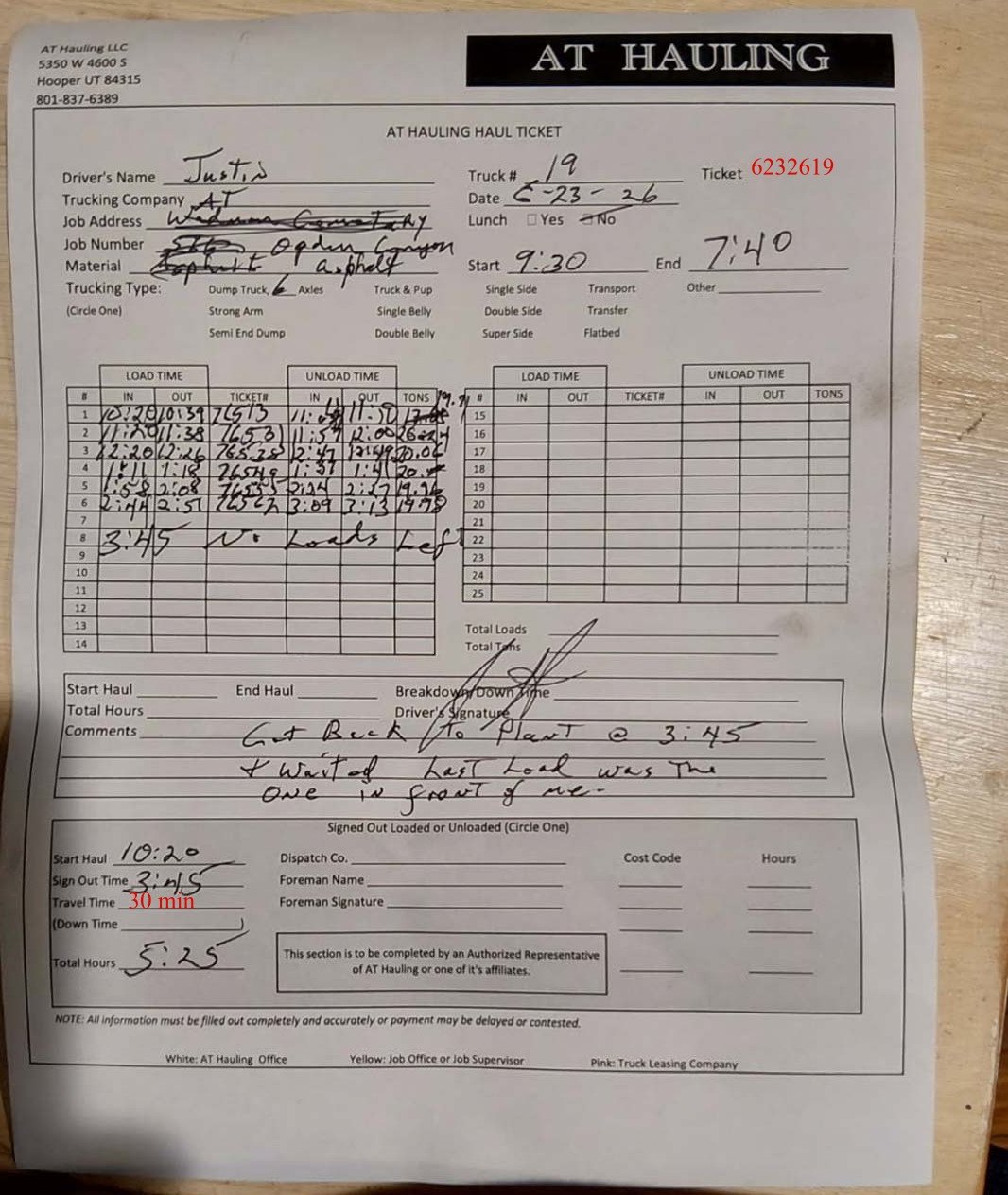
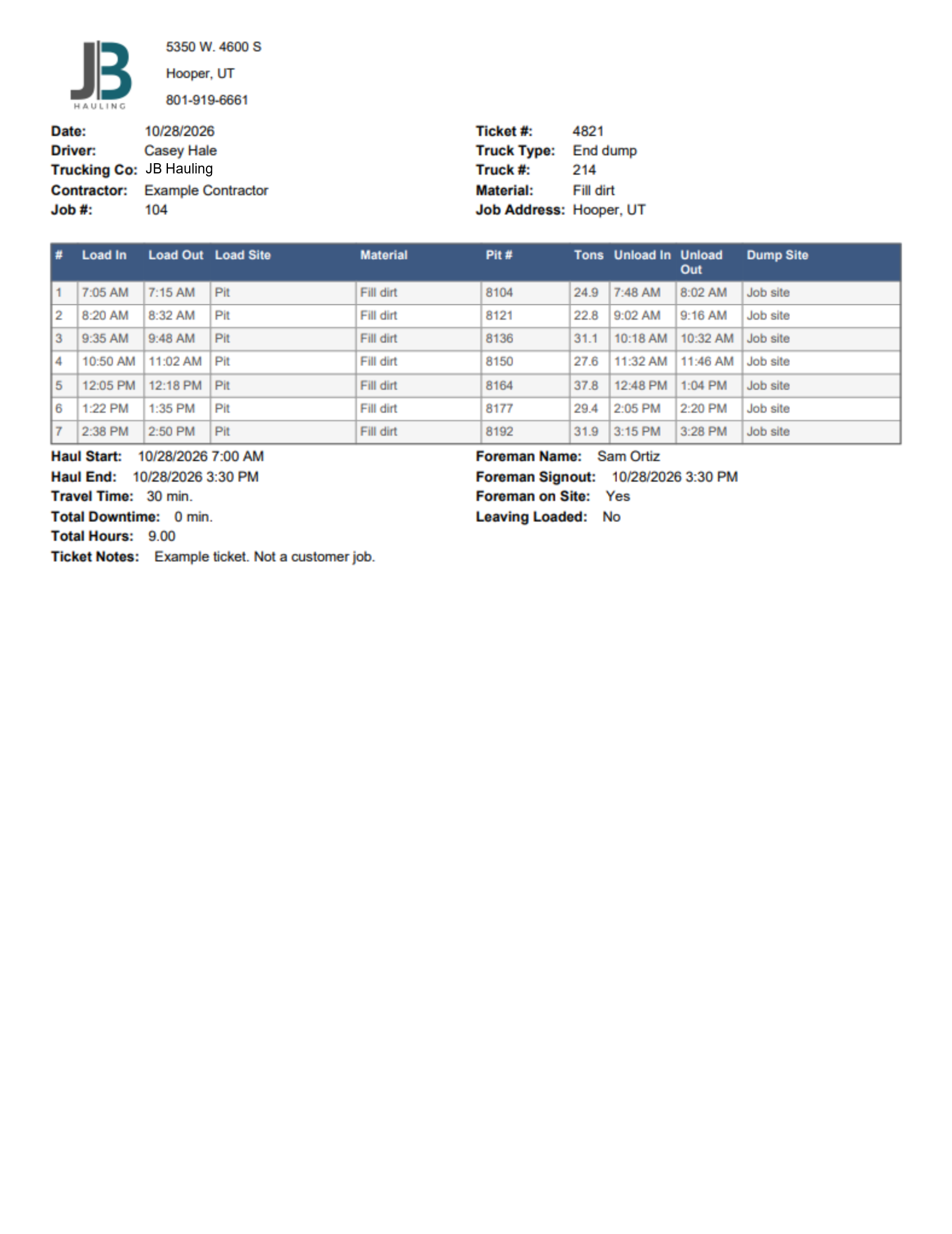
Ticket 4821 is an example, not a customer job. Seven loads, from 7:05 in the morning through the 3:30 sign-out.
Need trucks?
Call Brennan with the date, the trucks, the load site, and the dump site.
801-600-3653
Brennan@jbdirthauling.com